
HRIS
People operations from hire to payroll
One employee record for directory, attendance, leave, payroll, talent, and documents — HR works on web; employees check in, request leave, and get payslips on mobile.
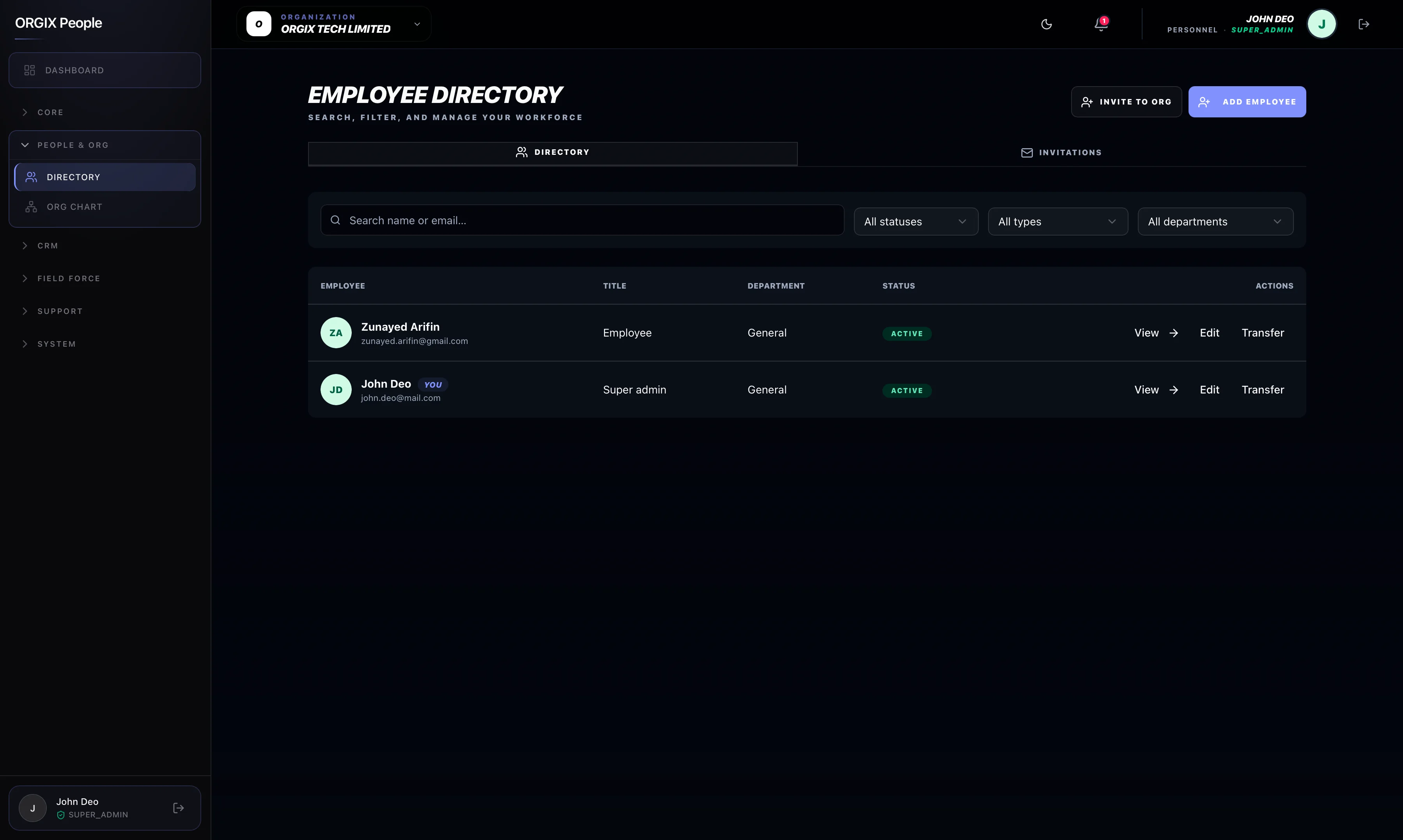
For HR & admins
Configure policies, approve leave, run payroll, manage assets, and see org-wide reports from the web workspace on people.orgixapp.com.
For employees
Check in, request leave, view payslips, and get notifications on mobile — same records HR sees, no duplicate entry.
Core workforce
The daily systems that replace paper registers and spreadsheet chaos.
People & organization
One employee record instead of scattered spreadsheets.
Directory, departments, job titles, org chart, and reporting lines that stay in sync as the company grows.
Attendance
Managers see who checked in — without paper registers.
QR, selfie, or biometric check-in with rules, sessions, history, and exception visibility for managers.
Leave
Approvals that don’t get lost in email threads.
Policies by department, job, or employee; multi-step approvals; balances; and an audit trail for every change.
Payroll
Runs built from attendance and leave — less re-keying.
Salary structures, payroll runs, and employee payslips on web or mobile when payroll is enabled for the workspace.
Hire, grow, and schedule
Talent and lifecycle workflows on the same employee profile.
Recruitment
One pipeline from job post to offer.
Postings, applications, interviews, and offers tracked together — then hand off into onboarding.
Performance
Goals and reviews tied to the same employee profile.
Review cycles, goals, and manager or HR gates where your policy requires them.
Onboarding & schedules
First day and shifts planned in the same system.
Checklist onboarding, shift planning, schedule swaps, and structured offboarding with access checkpoints.
Benefits & training
Growth and benefits next to the HR record.
Admin-configured benefits programs and a learning hub for courses and completions.
Admin, compliance & insight
Documents, assets, and reports with role-appropriate access.
Assets & documents
Expiry alerts before compliance becomes a scramble.
Company assets, employee documents, issuance/return flows, and notifications before documents expire.
Reports & analytics
Leadership views with the right access gates.
Attendance, leave, and workforce reports with role-appropriate entry points and exports.
Navigation and features are role-based and depend on modules enabled for your workspace. Not every user sees payroll, CRM, or admin surfaces. Payroll, tax, and labor-law capabilities vary by region. Do not infer jurisdiction-specific compliance from marketing copy alone.
FAQ
No. Payroll and sensitive analytics are gated by role and enabled modules. Employees typically see their own payslips; only authorized payroll or HR roles run payroll.
Ready to unify people operations?
See how directory, attendance, leave, and payroll fit your rollout — or explore CRM and Field Force next.